Skip to content

Early access · free

Less admin. More art.

From the first message to the signed consent form, from the deposit to the artist’s commission: your whole tattoo studio in one app, all connected.

Start free with early access

No card needed · your studio opens once you confirm your email

1891

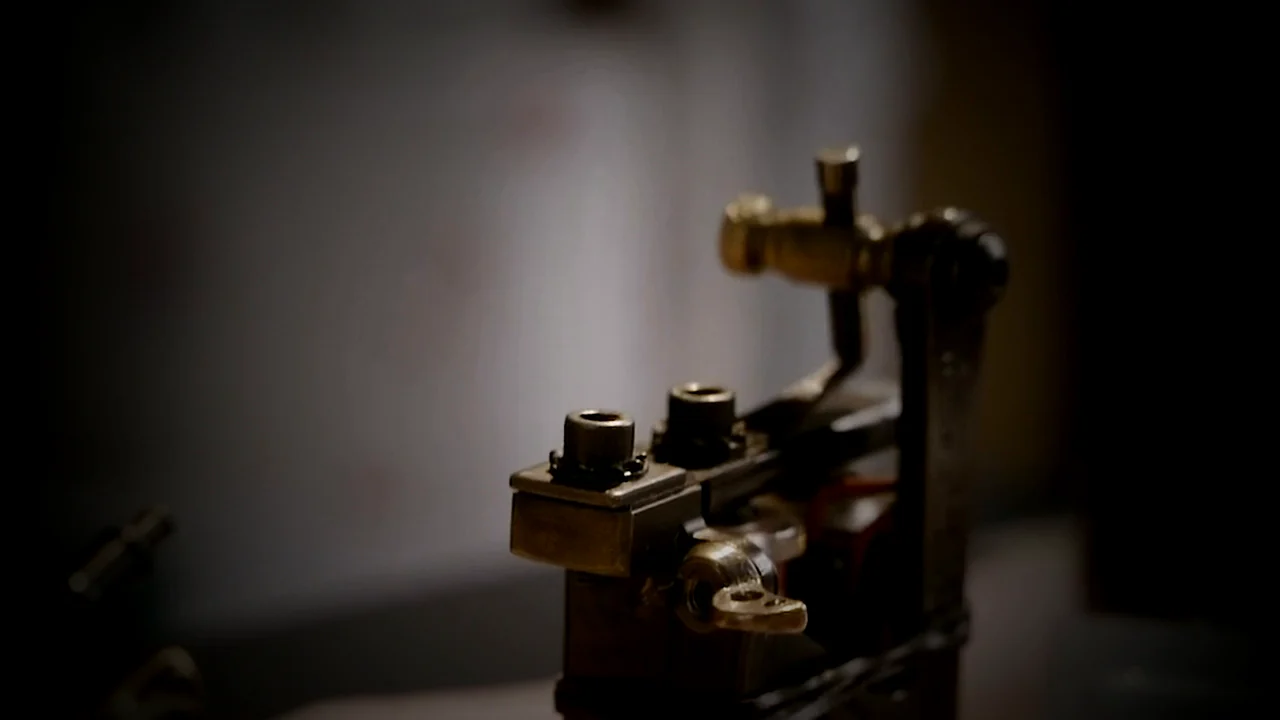
In 1891 the tattoo machine went electric. The paperwork never caught up.

Engraved drawing of Samuel F. O’Reilly’s electric tattooing machine, from US Patent No. 464,801 of 1891.
Plate I. O’Reilly’s machine, patented 1891.US Patent No. 464,801, granted to Samuel F. O’Reilly of New York on December 8, 1891.

Inside the app.

Real SmyrnaInk screens, from the first message to the final numbers. The data belongs to a made-up test studio, Art of SmyrnaInk.

Instagram DMs land in your pipeline.

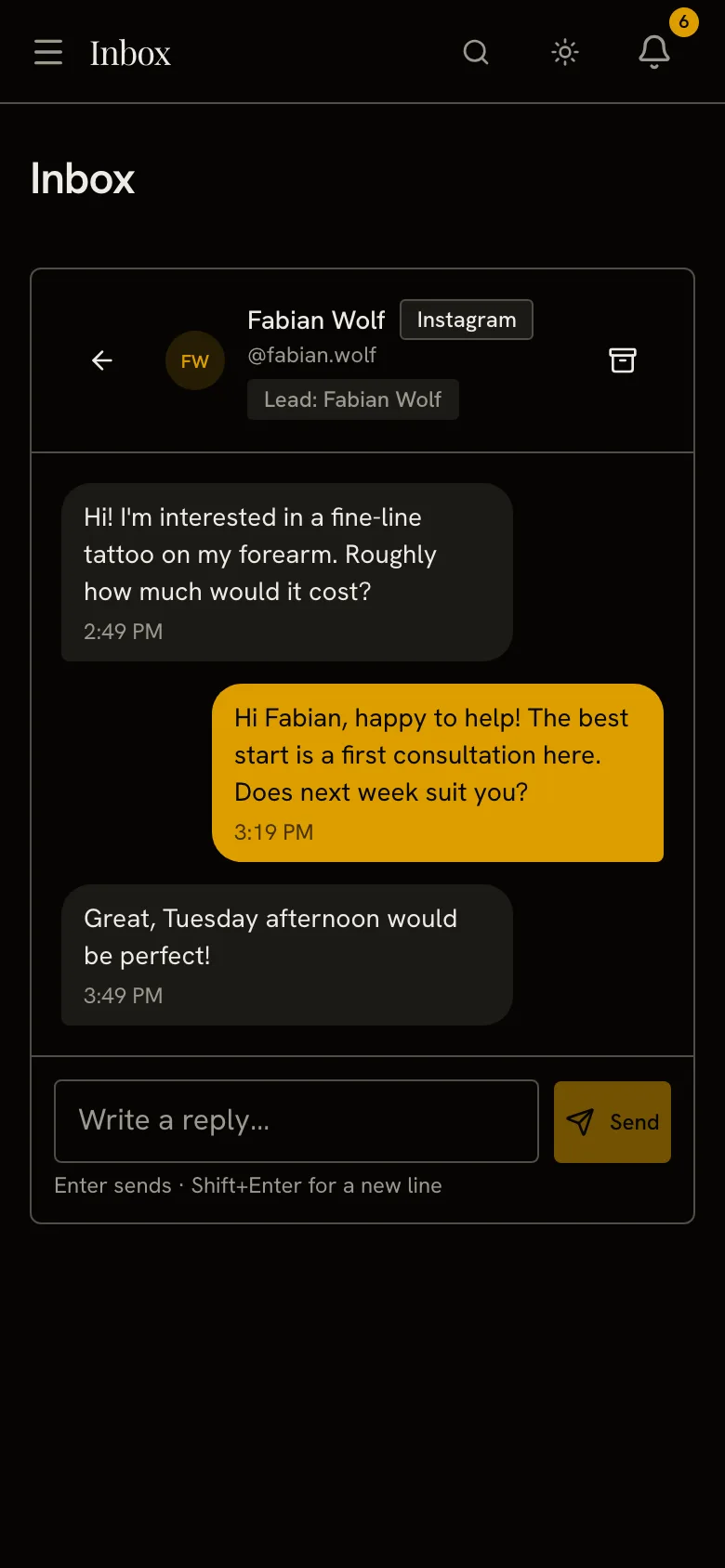
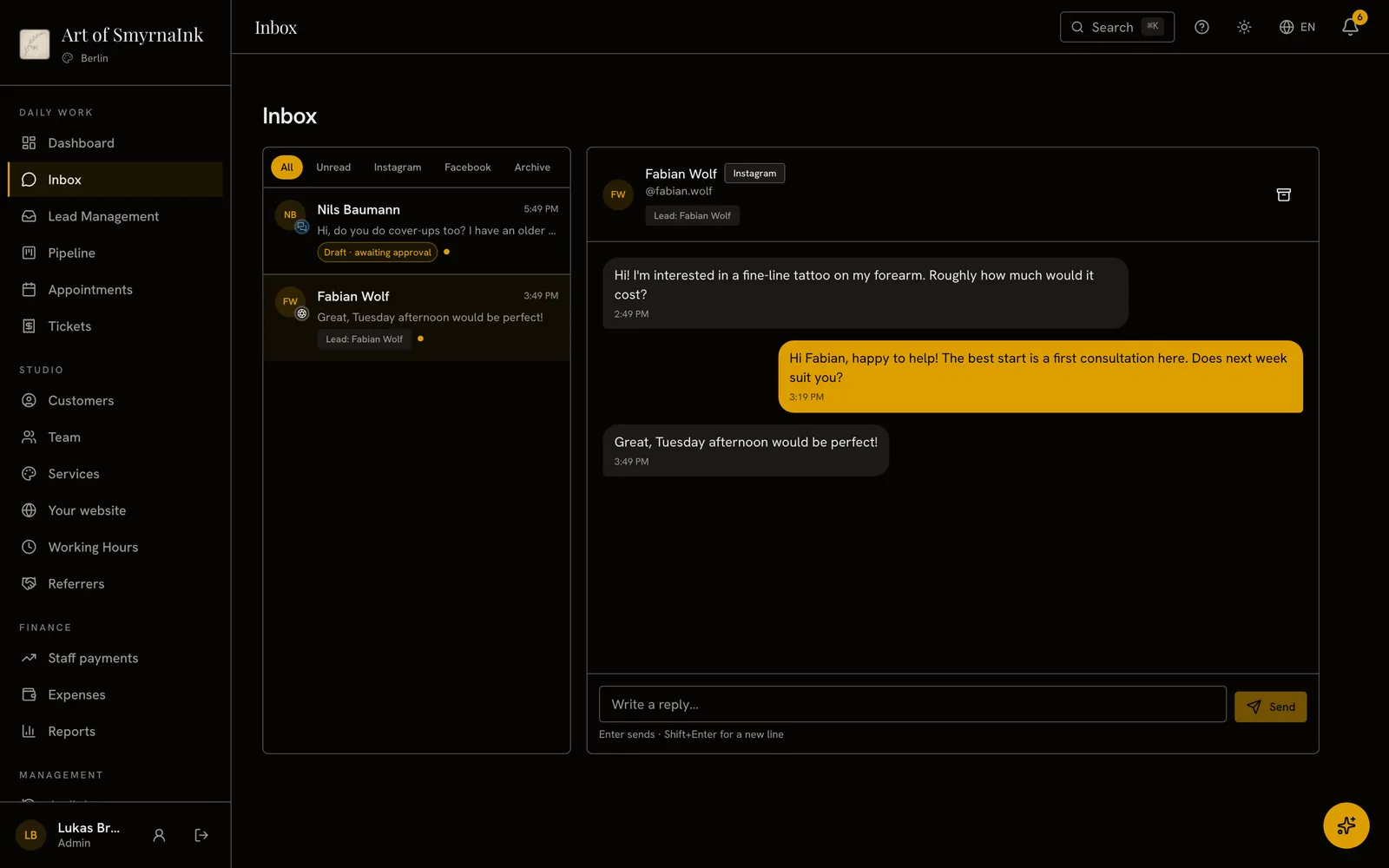
Instagram and Facebook messages arrive in one Inbox. A first-time sender joins your pipeline as a New Lead.

Connect your Facebook Page and the Instagram business account linked to it in one step. You get a panel notification for each new conversation, and someone who is already a customer or lead is recognized by their Instagram username. Book the consultation straight from the lead card.

  • Instagram and Facebook messages arrive in one Inbox.
  • A first-time sender joins your pipeline as a New Lead.
  • Your reply reaches them on the channel they used.
  • A welcome message goes out with your OK, or on its own.
  • InboxReply to Instagram and Facebook DMs from your panel.
  • Lead managementEvery lead card shows its source, score and assignee.

Instagram and Facebook connect once Meta approves the app.

The Inbox with an Instagram conversation open: the lead link, the messages and the reply box.

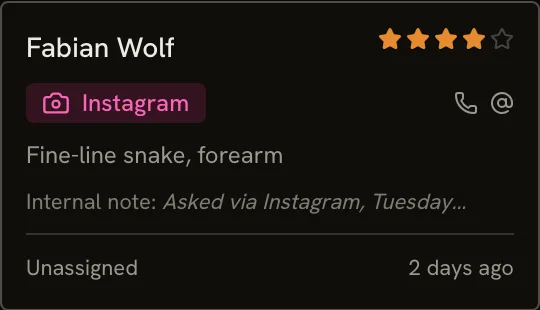
The new lead’s pipeline card: Fabian Wolf, source Instagram, with the tattoo idea and an internal note.
Sign up and your site opens.

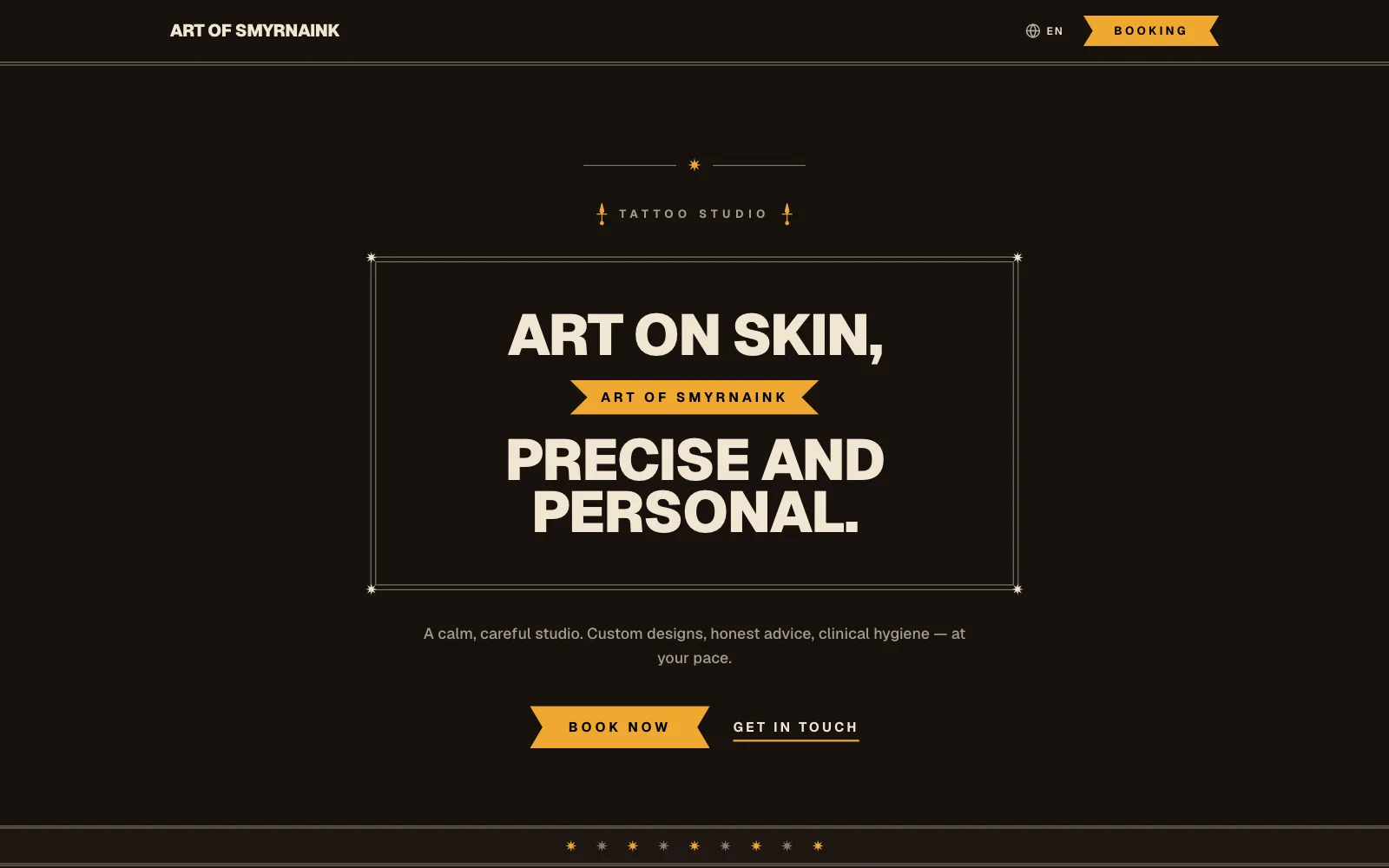
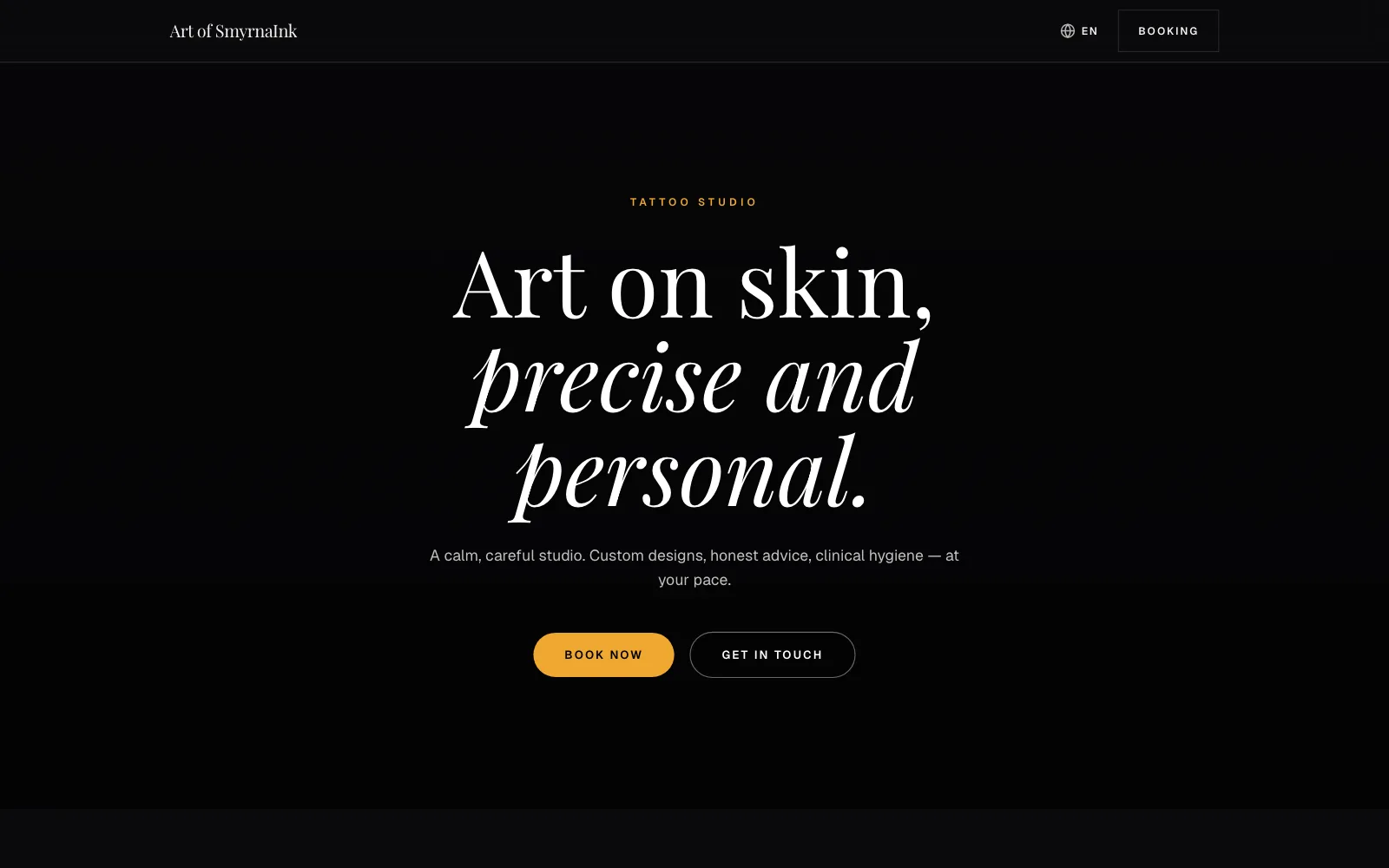
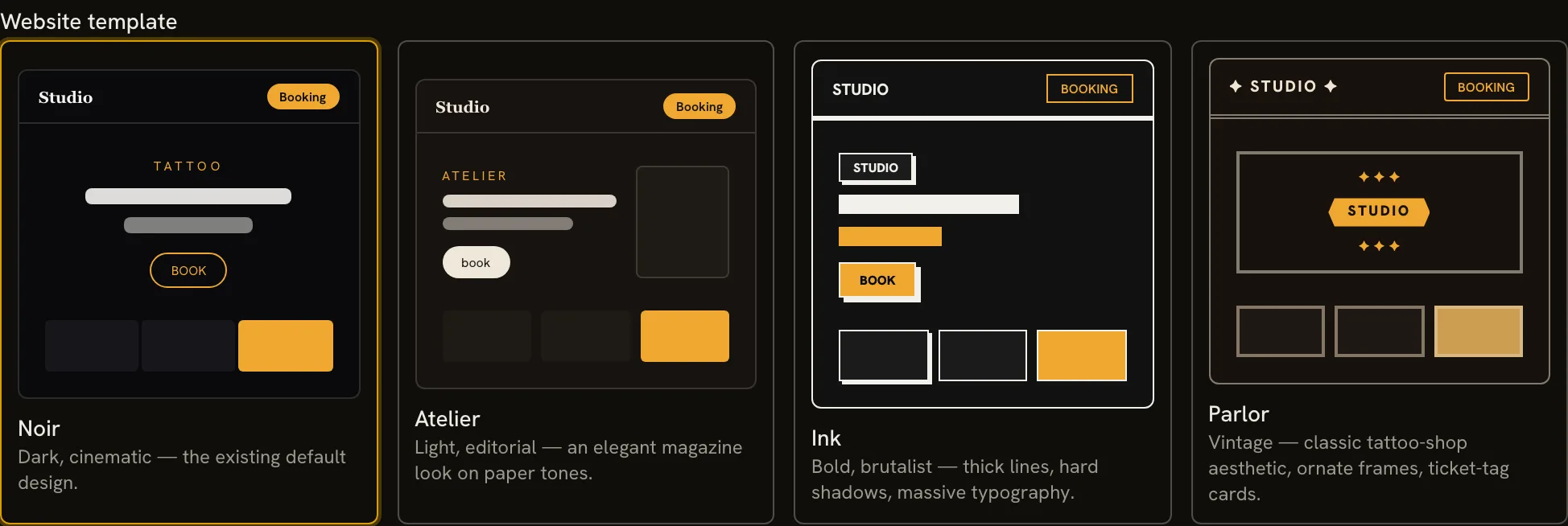
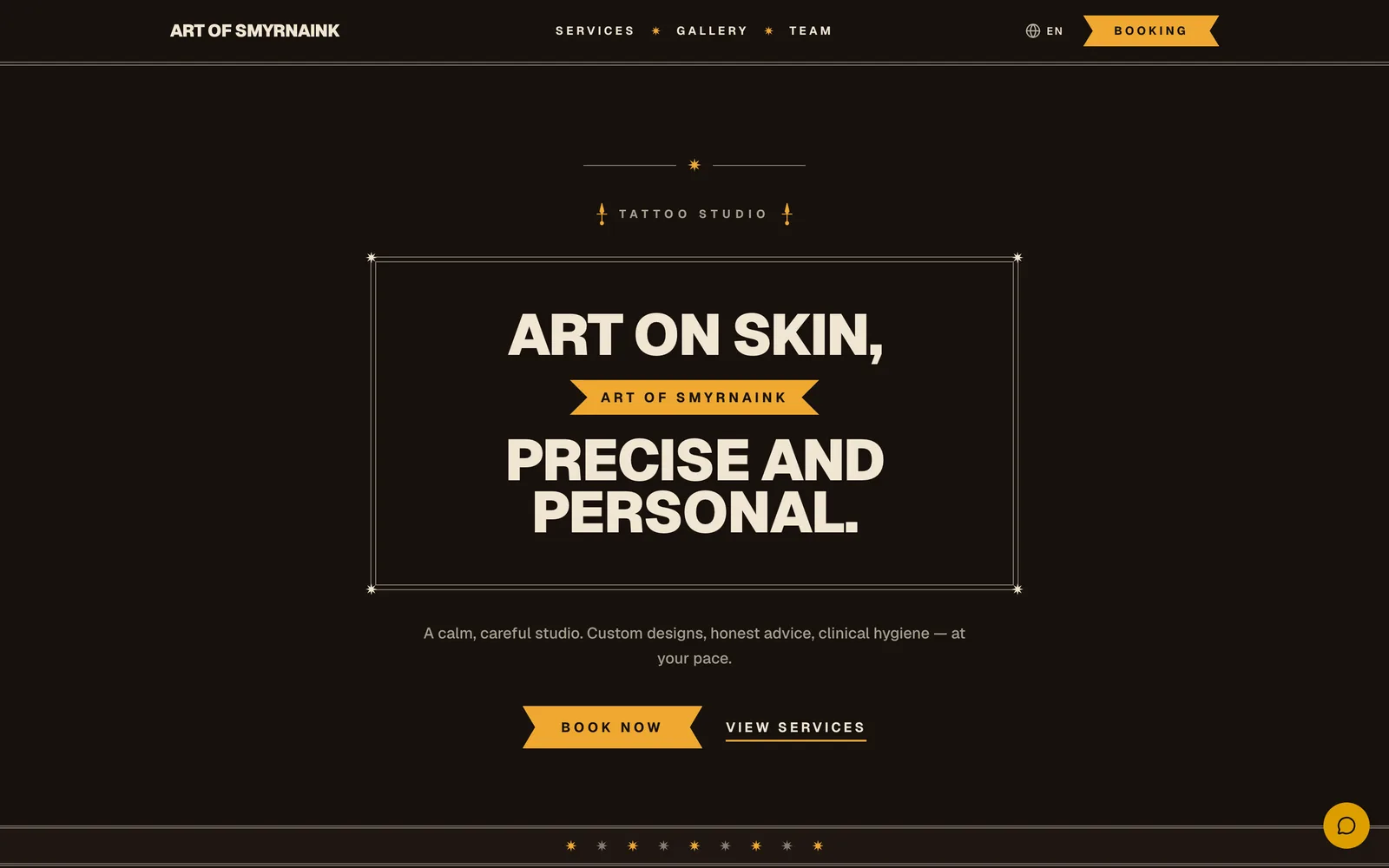
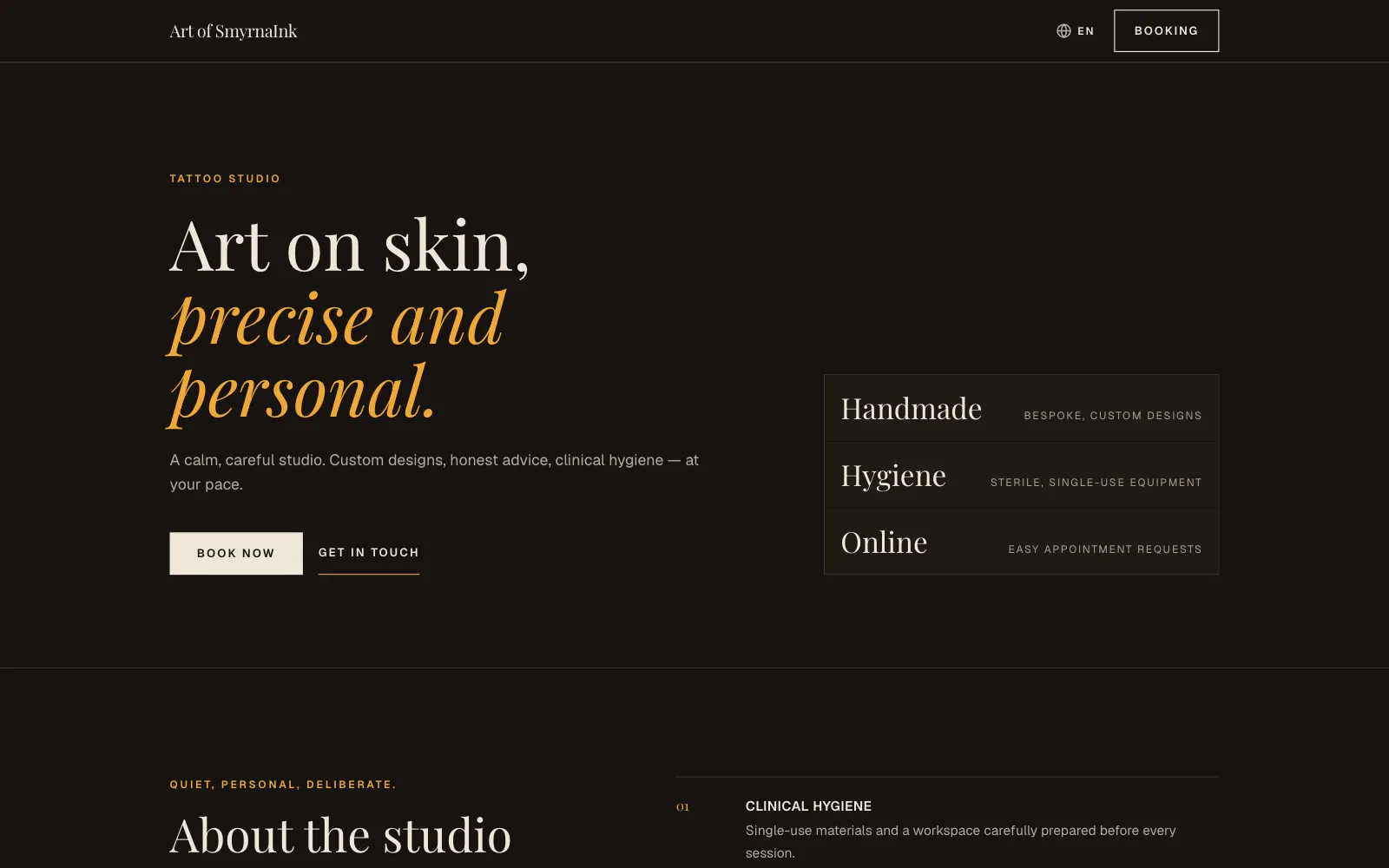
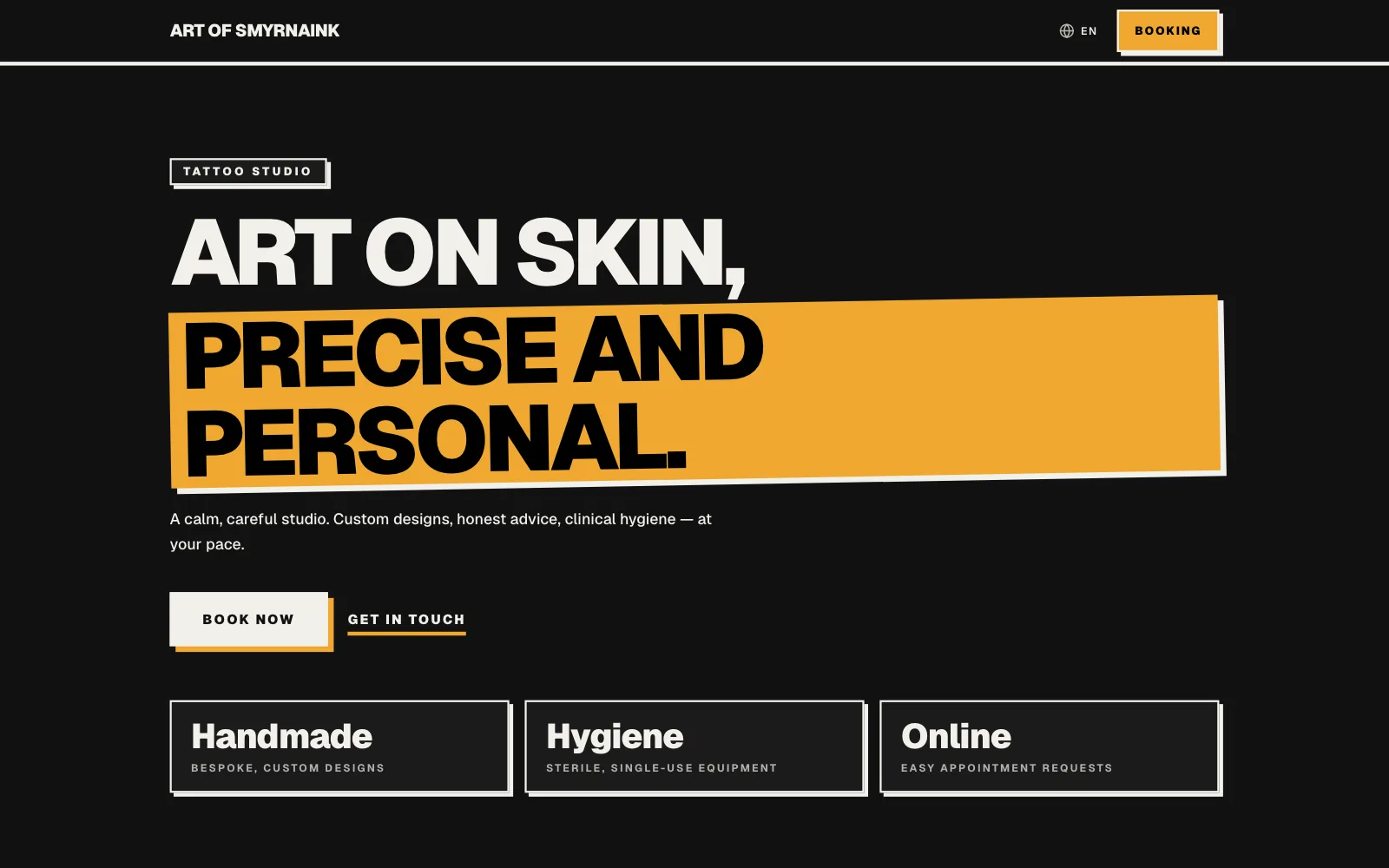
Set your password and your site goes live at its own web address with ready-written texts. Tap one of four templates, save, and your site takes that look.

  • Site at sign-upSet your password and your site goes live at its own web address with ready-written texts.
  • Four templatesAtelier, Ink, Parlor and Noir: tap one and save.

A newly opened studio’s site in four templates, and the template choice in the panel.

Booked while you sleep.

Clients book on your site; with invites on, they get your review link after the job. Panel and site: 10 languages.

  • Your websiteClients book consultations and piercings there.
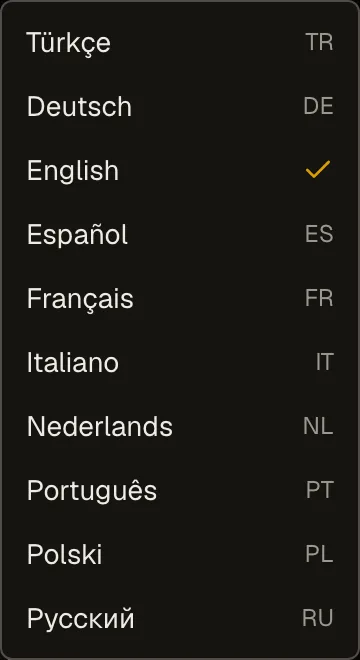
  • LanguagesThe panel and studio page run in 10 interface languages.
  • Google review invitationSwitch it on and your client gets your Google review link when the job is done.

The website of the test studio Art of SmyrnaInk, its booking page and the panel’s language menu.

Who’s doing what, and when.

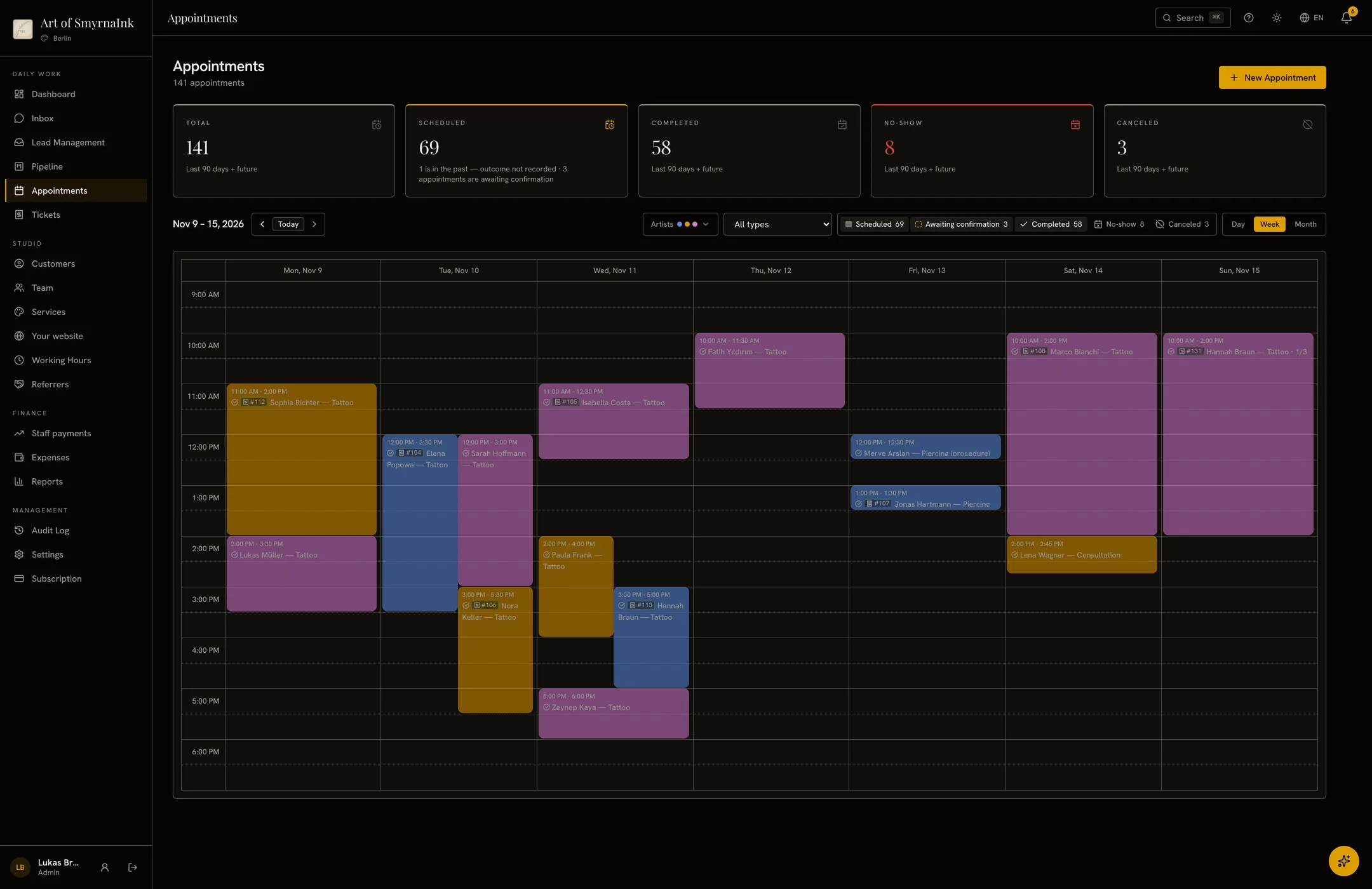
Each artist has their own color; appointments also go into Google Calendar. Switch on reminders and no-show follow-up once, and the rest goes out by itself.

  • CalendarSee your whole team’s appointments in one calendar.
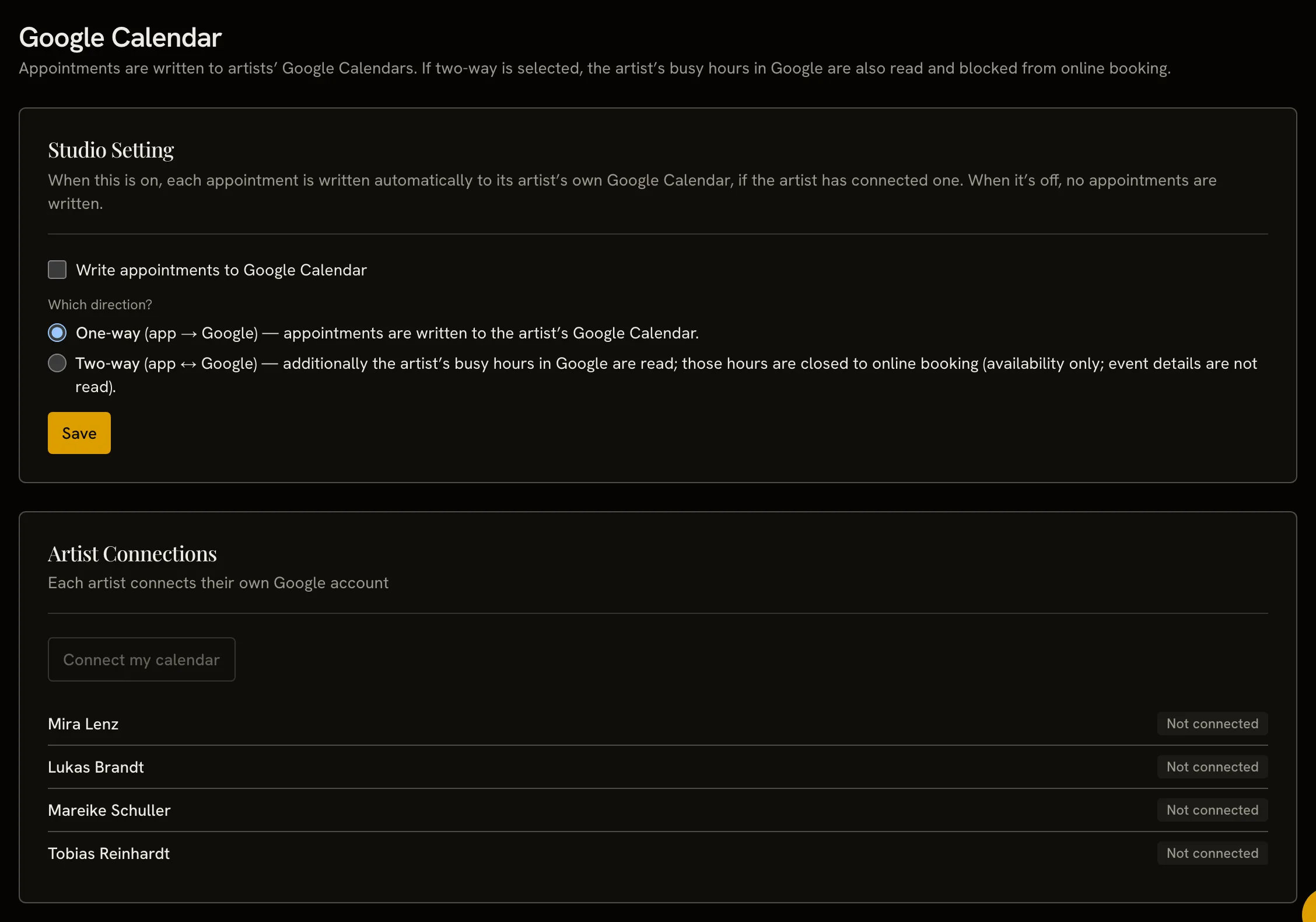
  • Google CalendarAppointments appear in each artist’s Google Calendar.
  • Reminder emailsSwitch on reminder, aftercare and no-show emails.

Google Calendar sync starts once Google approves the app.

The team calendar with the Google Calendar settings open on top: artists connect their own calendars.

Every client, one card.

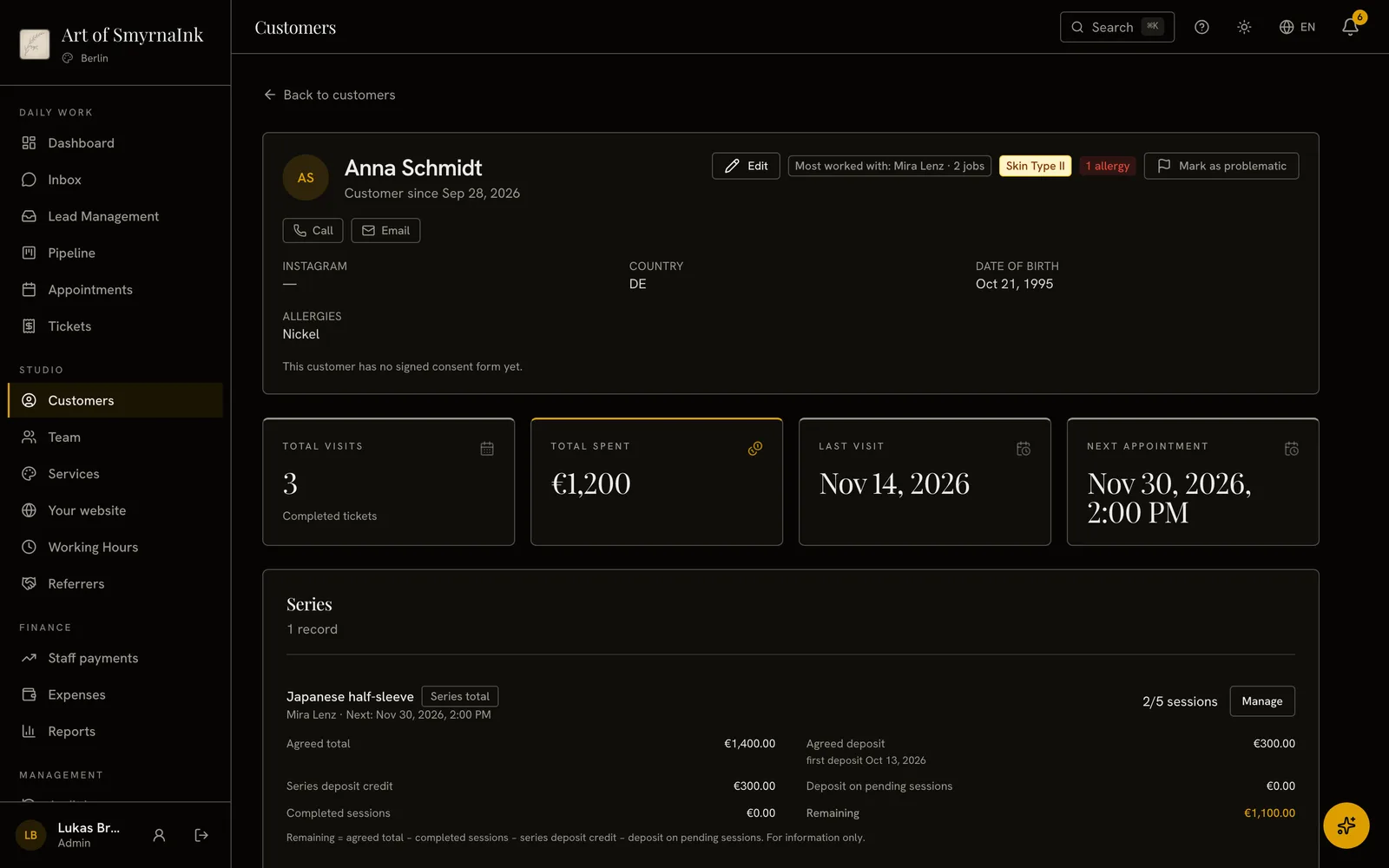
Appointments, jobs and consent forms live on the client’s card; plan a sleeve session by session as one series, and bring your old records over by CSV.

  • Customer cardsAppointments, jobs and consent forms live on one card.
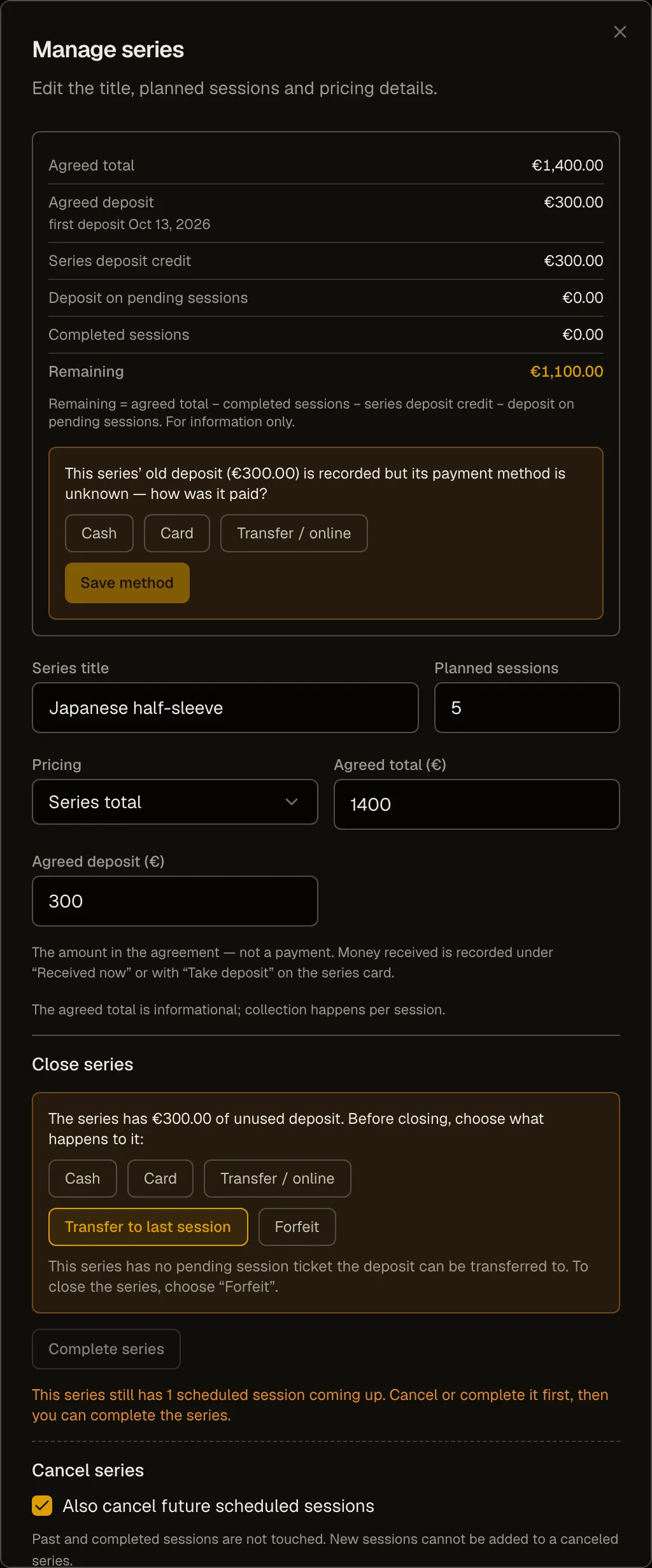
  • SeriesOpen a series for a job that takes several sessions, like a sleeve, and plan every session in one place.
  • Data importBring customers and appointments over by CSV.

A customer card with the series window open: five planned sessions.

Deposits, on record.

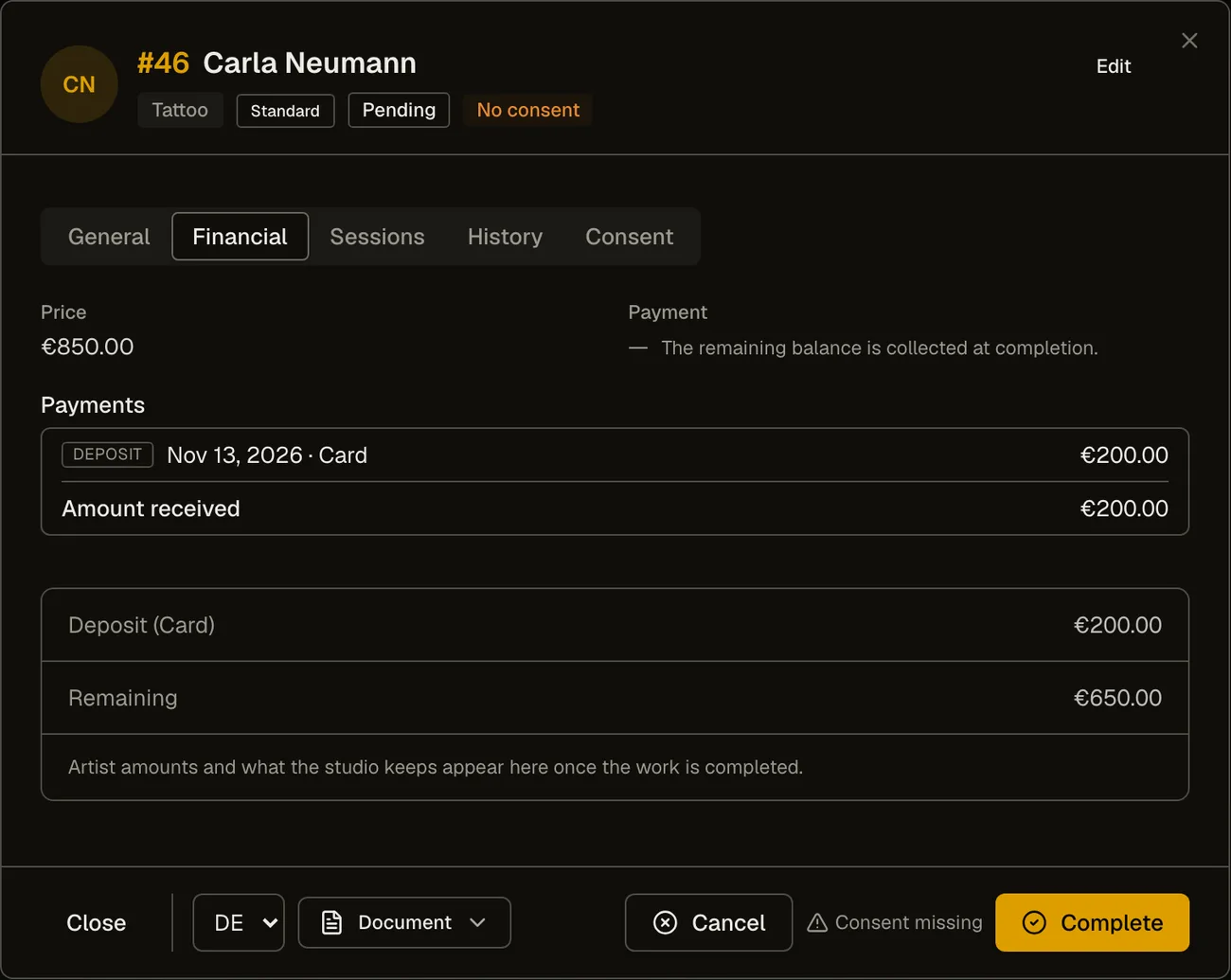
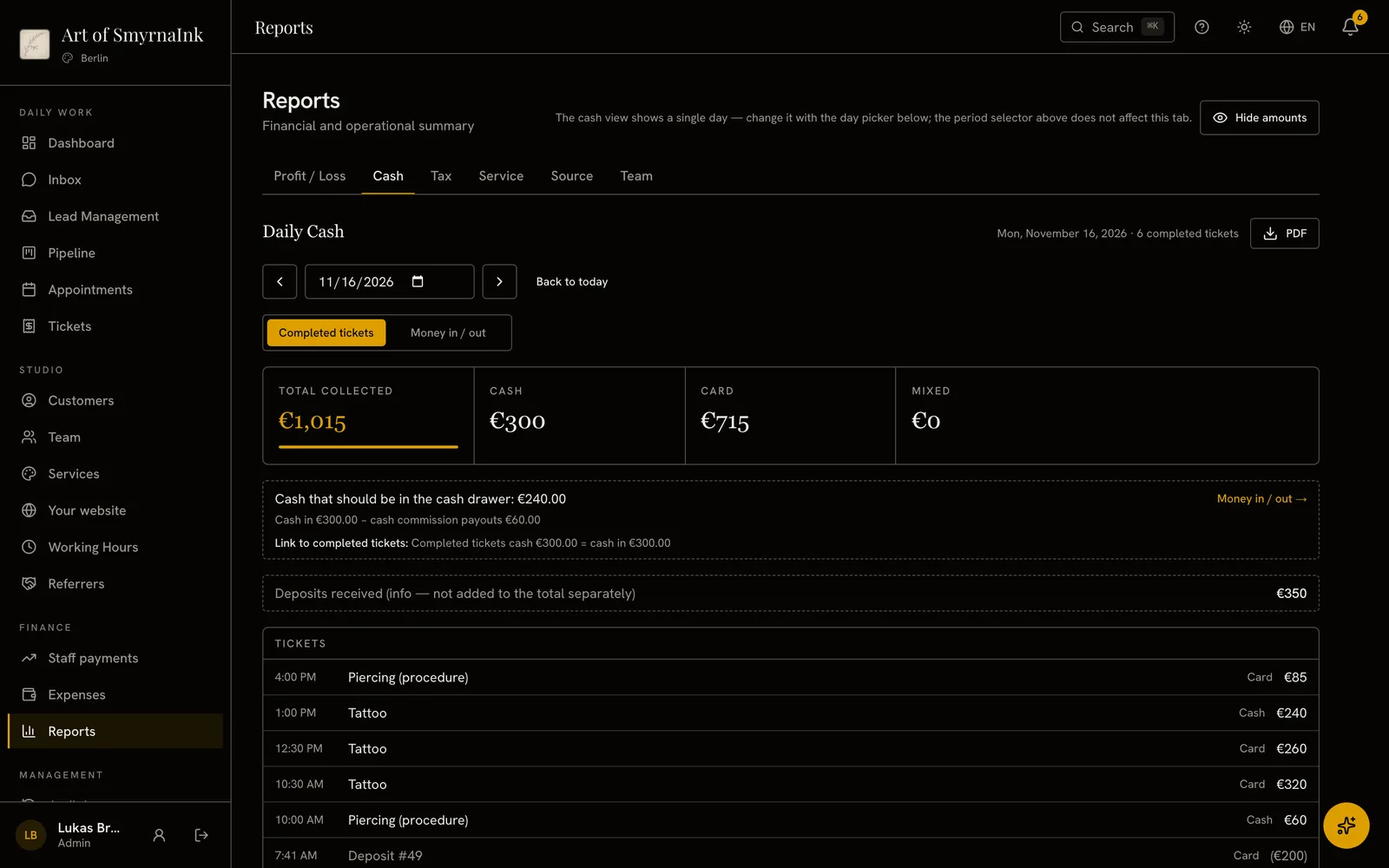
Enter the deposit with its date and method and the system works out the balance; at the end of the day you see what went in and out of the cash register.

  • DepositsAlways know who has paid a deposit, and how much.
  • Daily cashSee what goes in and out of the cash register each day.

A job’s Financial tab: the price, the deposit and the balance.

Everyone’s share, to the cent.

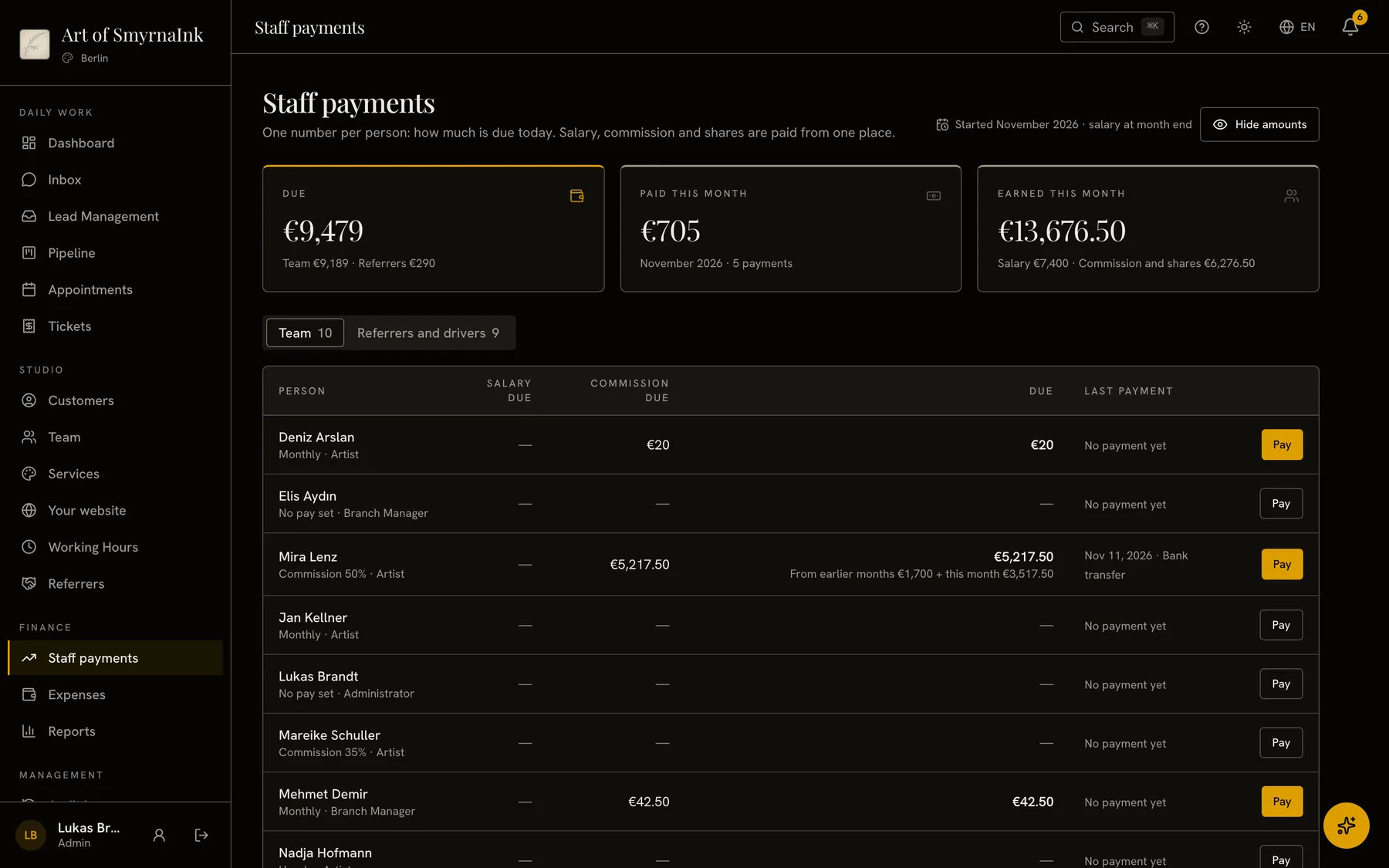
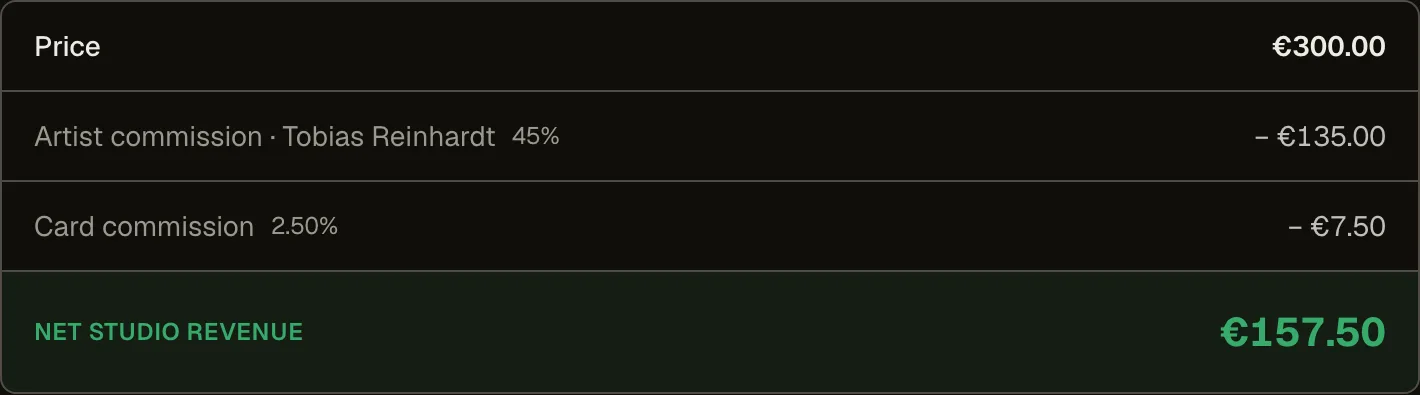
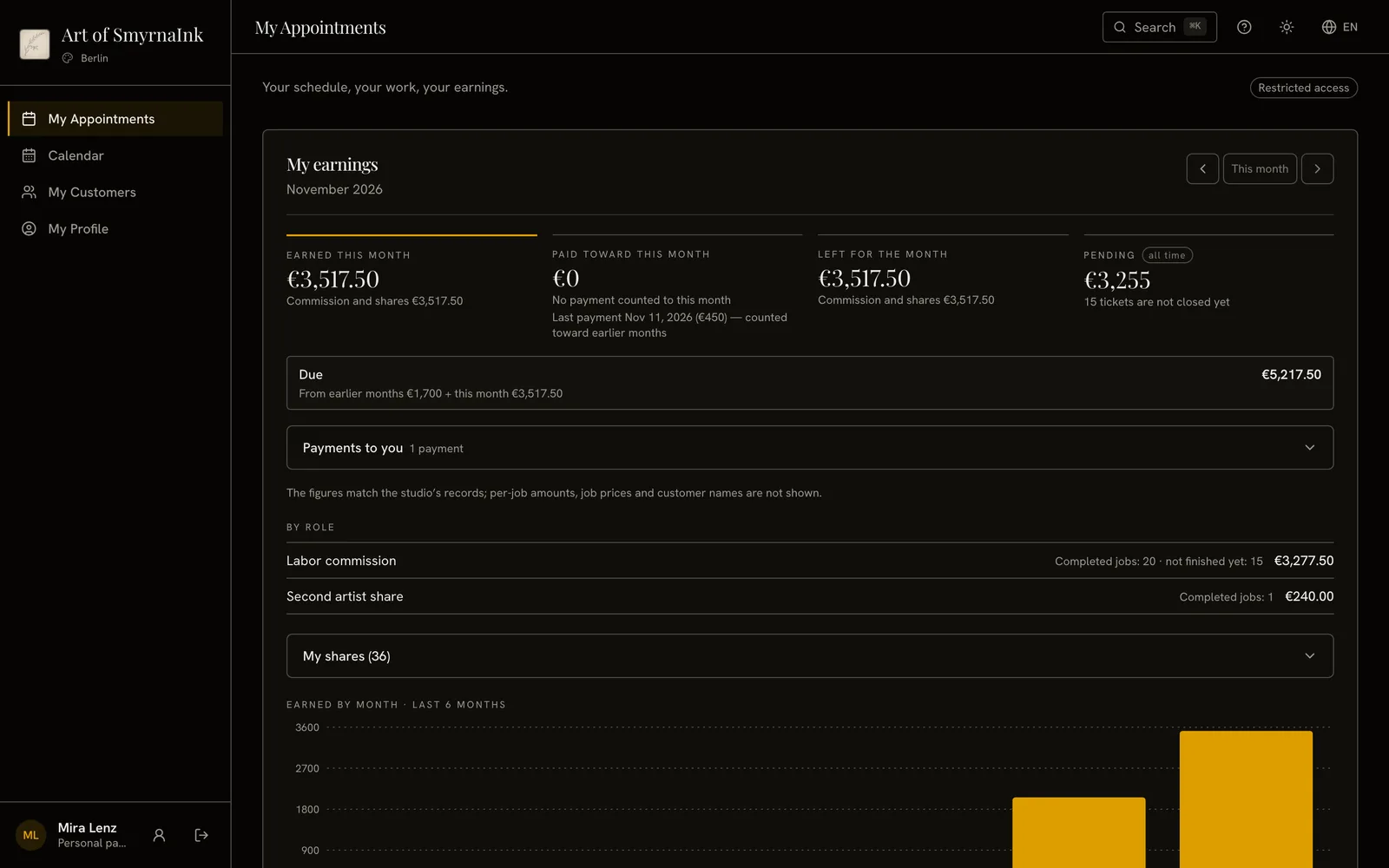
Commission is calculated when a job is done and paid out with salaries from the same list; the next tab shows what you owe everyone who sends you clients.

  • Staff paymentsSee at a glance what each person is due today.
  • ReferrersSee what you owe everyone who sends you clients.

Staff payments: the total due today and what each person is due, with a Pay button on every row.

Your numbers, any time.

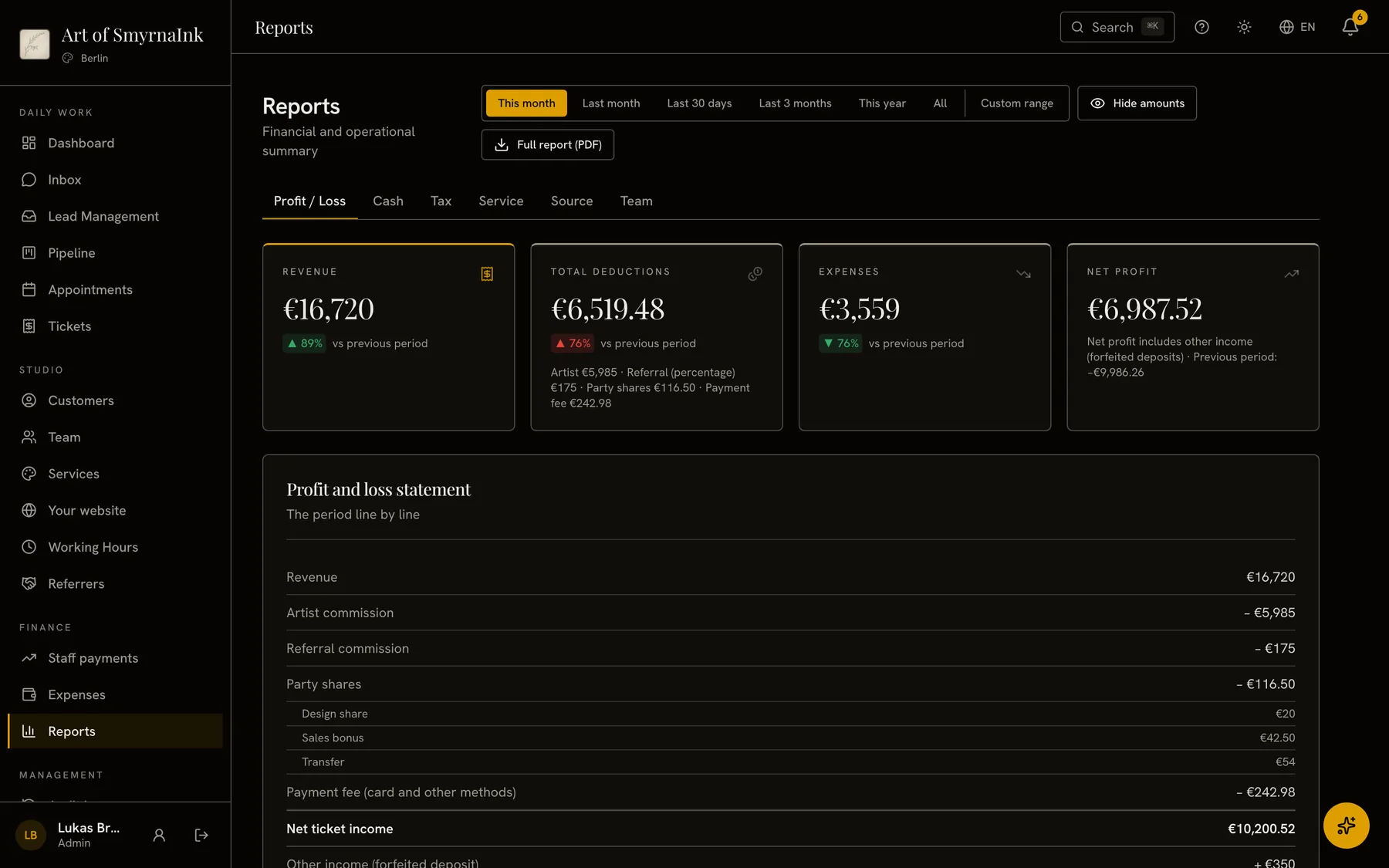
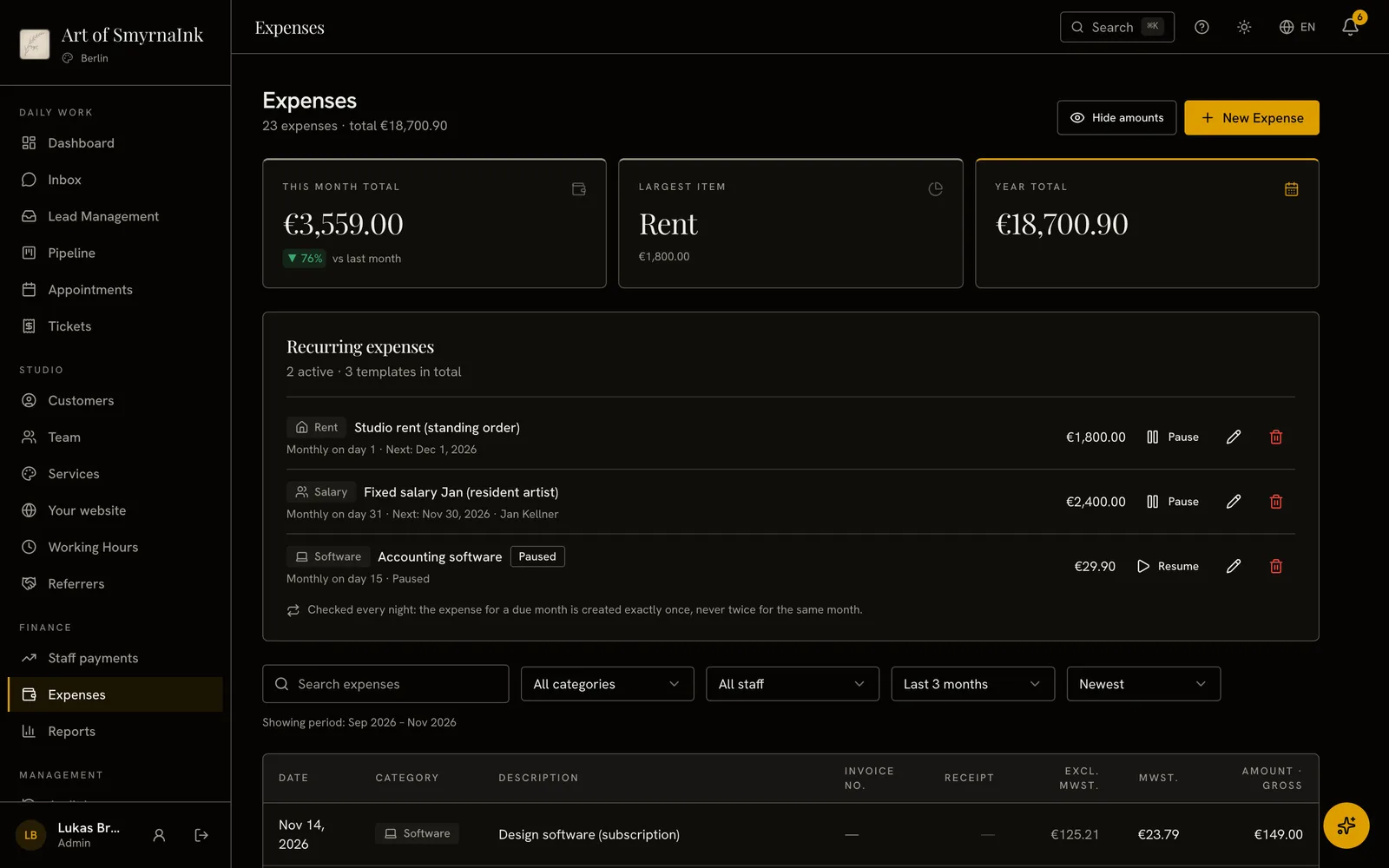
Break profit and loss down by service, lead source and team, and download the full report as a PDF; enter rent once and it’s logged as an expense every month.

  • ReportsSee profit and loss, cash and tax for any period.
  • ExpensesEnter rent once and it’s logged every month.

This month’s profit and loss: revenue, deductions, expenses and net profit.

Your report, Monday morning.

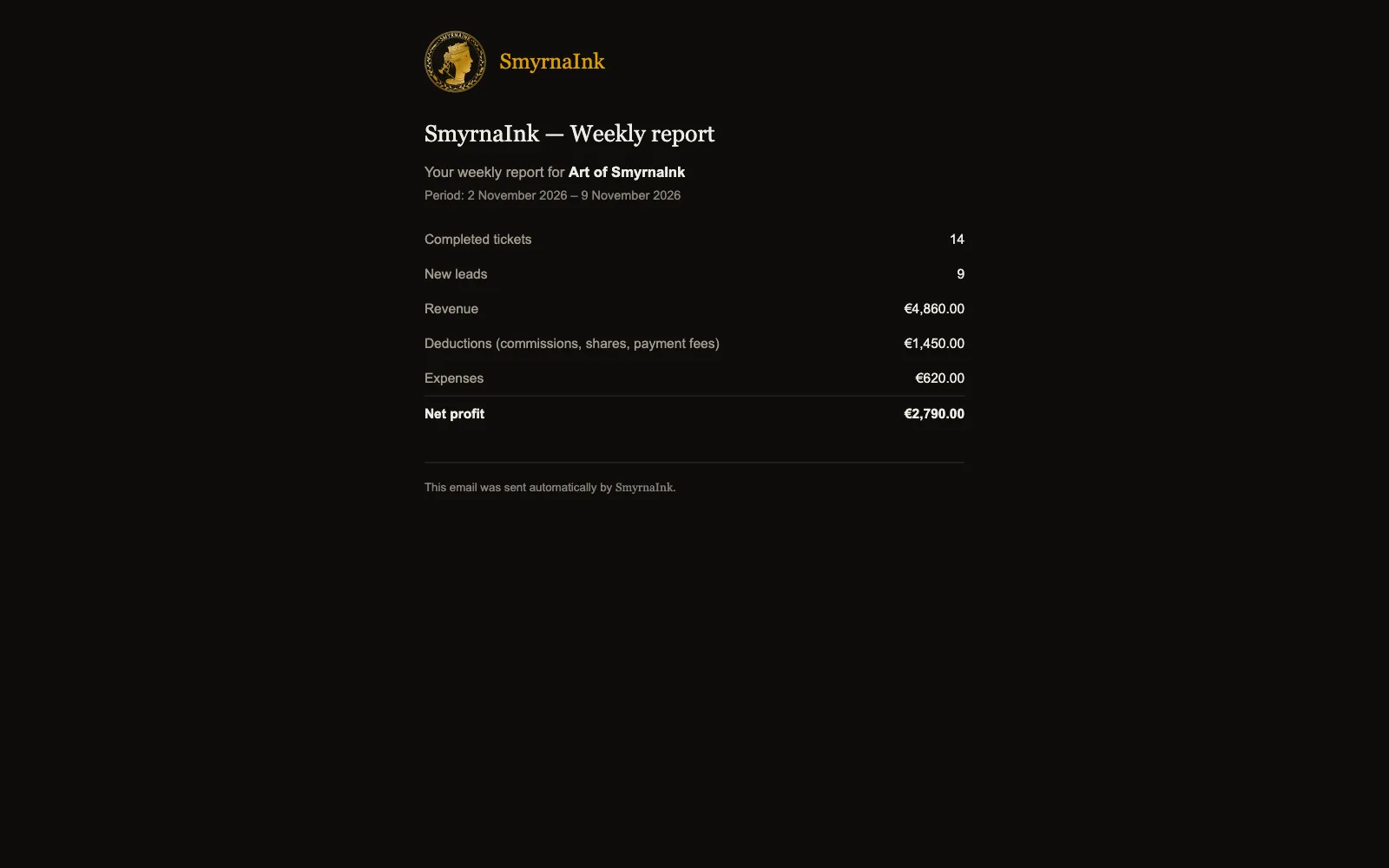
Profit and loss, cash, service, lead source and team reports on one screen. Every Monday, the week’s revenue, expenses and net profit arrive by email.

  • Weekly reportEvery Monday, the week’s summary lands in the administrator’s inbox.

The Source tab in Reports and the weekly report email that arrives on Monday.

Ask the assistant.

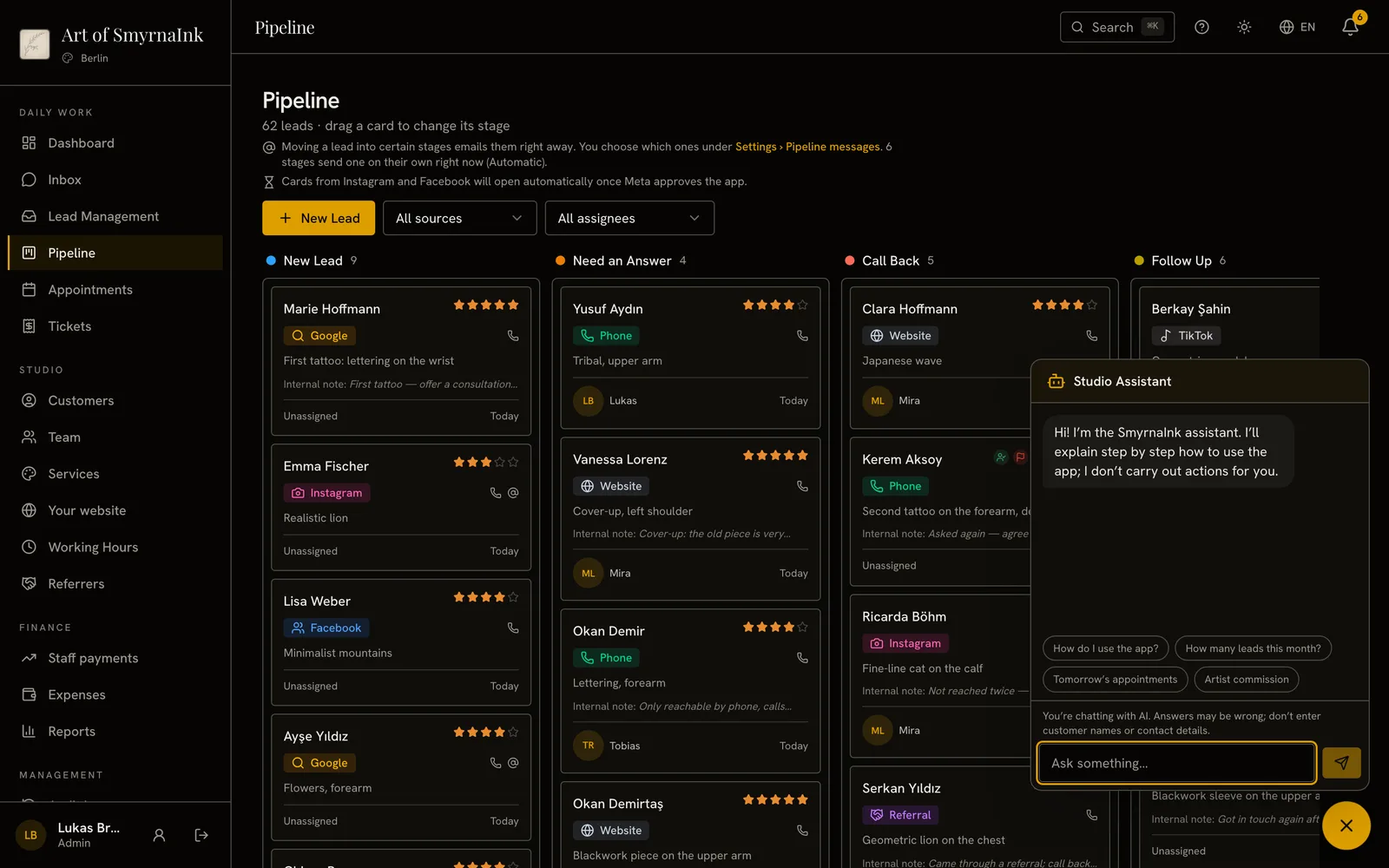
It explains step by step how to use the app and answers the quick questions from your studio’s own records. Only you can ask about artist commission.

  • AssistantWalks you through the app step by step and also counts this month’s leads and tomorrow’s bookings.

The Studio Assistant in the panel, with its quick questions about this month’s leads, tomorrow’s appointments and an artist’s commission.

Every branch, one screen.

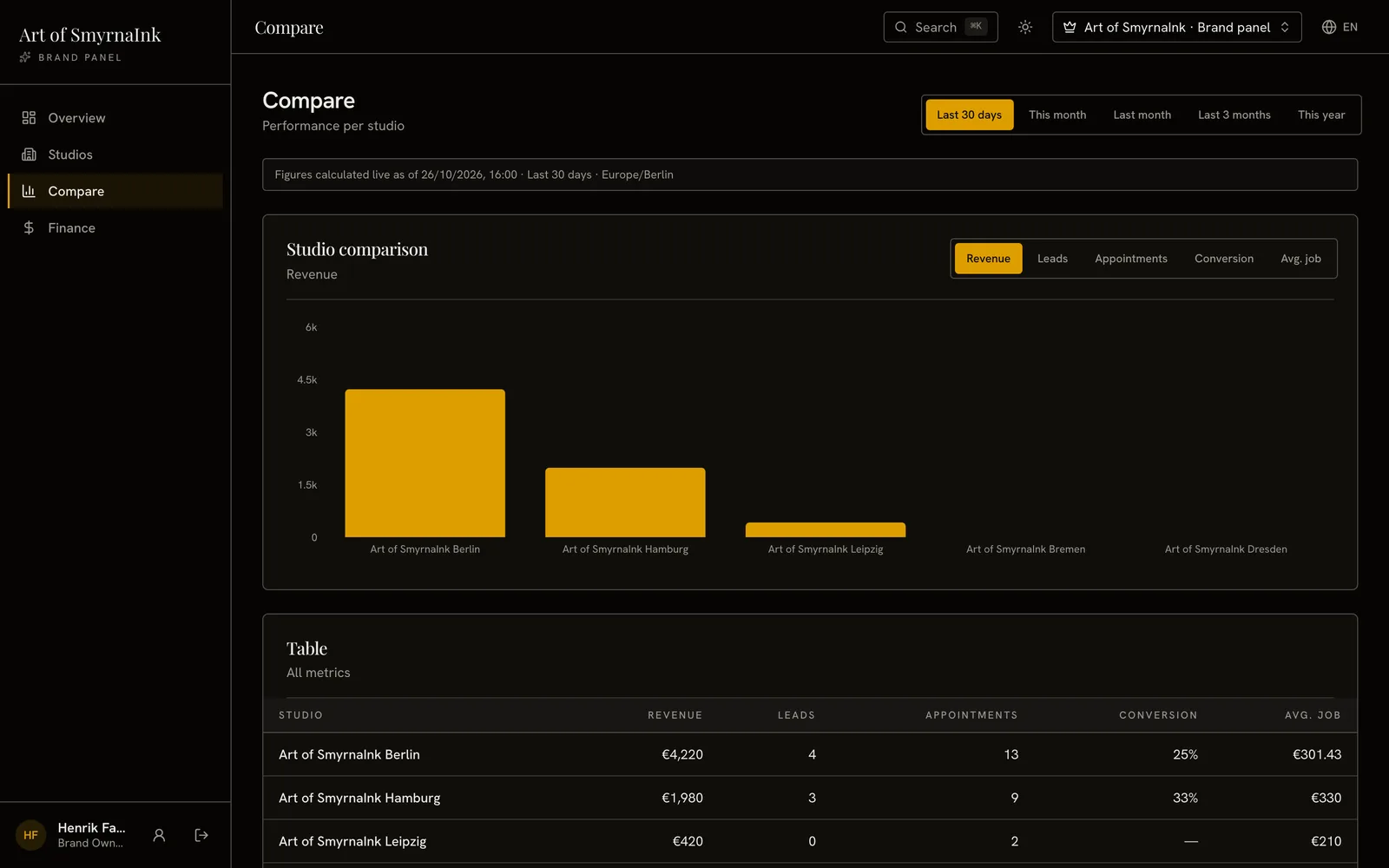
With more than one studio you compare revenue, leads and conversion branch by branch; artists only see their own appointments, never your reports.

  • BranchesCompare revenue, leads and bookings across branches.
  • Who sees whatArtists see their own appointments, not your reports.

The brand view: a revenue chart comparing the studios, with a tab for each metric.

1 / 12

Your studio’s daily work, in one system.

It all works together: a message becomes a lead, a lead becomes a booking, and every job lands in your reports.

  • Lead management

    Every lead card shows its source, score and assignee.

  • Inbox

    Reply to Instagram and Facebook DMs from your panel.

  • Site at sign-up

    Set your password and your site goes live at its own web address with ready-written texts.

  • Four templates

    Atelier, Ink, Parlor and Noir: tap one and save.

  • Your website

    Clients book consultations and piercings there.

  • Languages

    The panel and studio page run in 10 interface languages.

  • Google review invitation

    Switch it on and your client gets your Google review link when the job is done.

  • Calendar

    See your whole team’s appointments in one calendar.

  • Google Calendar

    Appointments appear in each artist’s Google Calendar.

  • Reminder emails

    Switch on reminder, aftercare and no-show emails.

  • Customer cards

    Appointments, jobs and consent forms live on one card.

  • Series

    Open a series for a job that takes several sessions, like a sleeve, and plan every session in one place.

  • Data import

    Bring customers and appointments over by CSV.

  • Consent forms

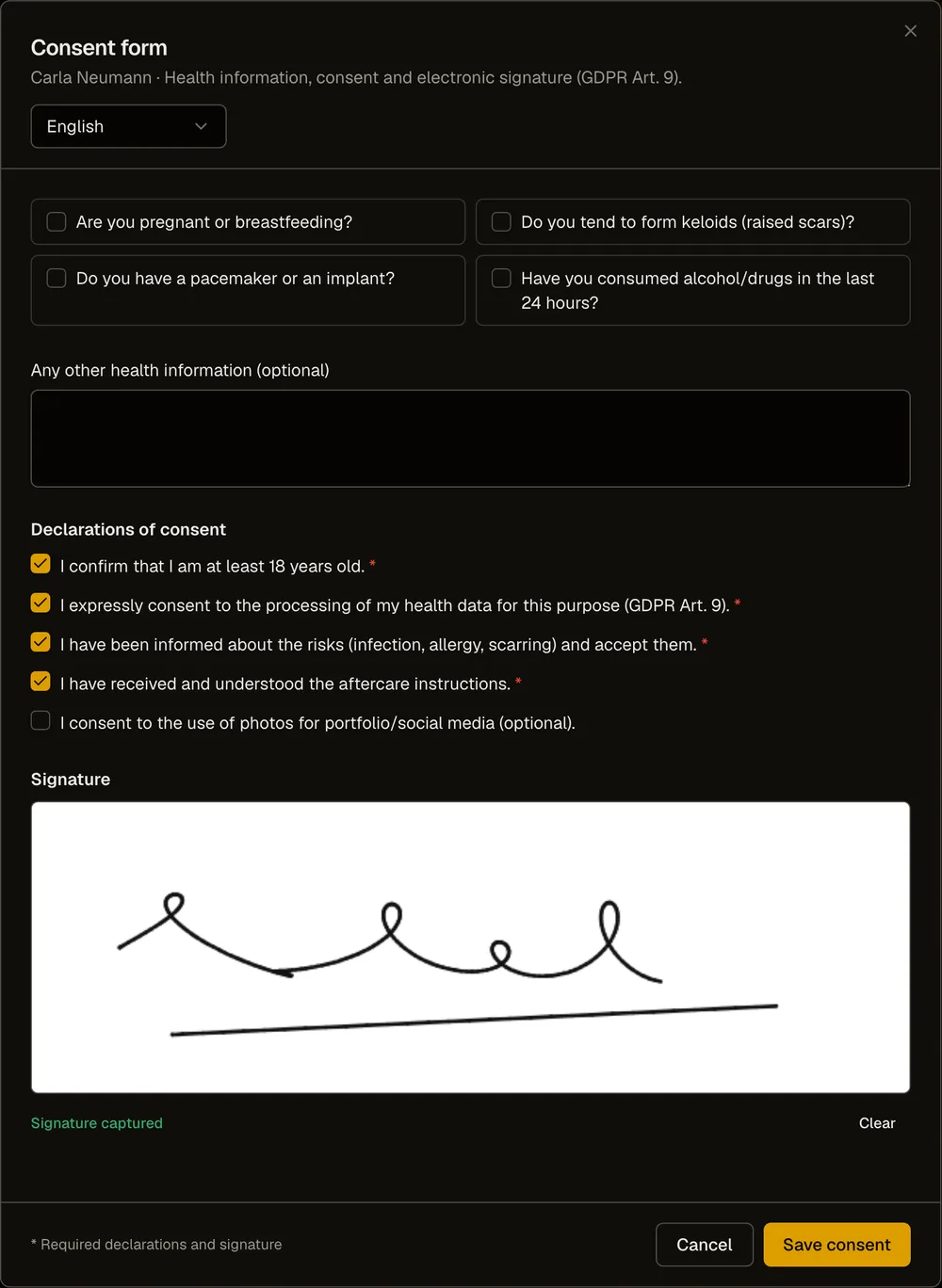
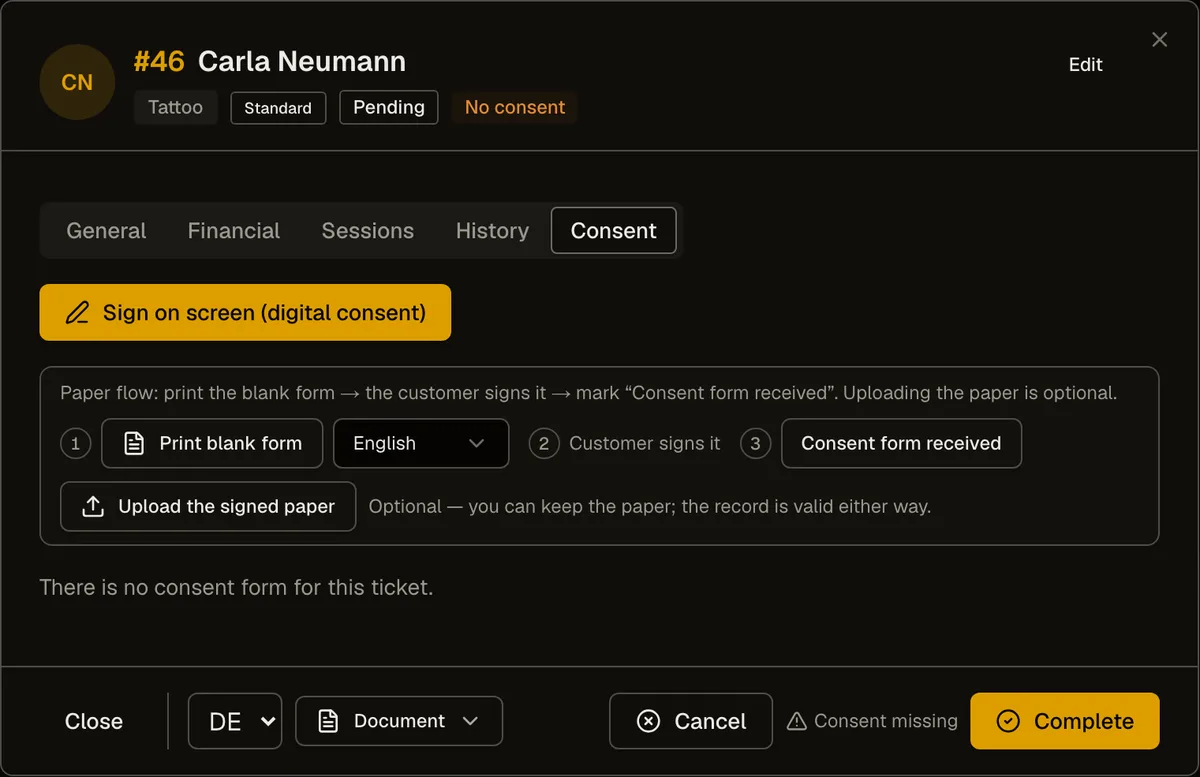
    Clients sign the form on a tablet or on paper.

  • Deposits

    Always know who has paid a deposit, and how much.

  • Daily cash

    See what goes in and out of the cash register each day.

  • Staff payments

    See at a glance what each person is due today.

  • Referrers

    See what you owe everyone who sends you clients.

  • Reports

    See profit and loss, cash and tax for any period.

  • Expenses

    Enter rent once and it’s logged every month.

  • Weekly report

    Every Monday, the week’s summary lands in the administrator’s inbox.

  • Assistant

    Walks you through the app step by step and also counts this month’s leads and tomorrow’s bookings.

  • Branches

    Compare revenue, leads and bookings across branches.

  • Who sees what

    Artists see their own appointments, not your reports.

Instagram and Facebook connect once Meta approves the app. Google Calendar sync starts once Google approves the app.

SmyrnaInk, on film.

Two short films about leaving the paperwork behind.

  • 1891

    37 seconds · with sound

  • One Line

    38 seconds · with sound

1 / 2

In use at Art Gallery Karlsruhe.

Art Gallery Karlsruhe is SmyrnaInk’s pilot studio and belongs to one of our founding partners, so the figures here describe the product. They are not results we claim for a customer.

What the booking page does

Steps to book a consultation, at most
3
Service, date, details.
Hours the booking page is open
24/7
Day and night, every day of the week.
Online bookings that overlap
0
Blocked by the database, not only by the form.

One price a month. No lock-in.

The price is the monthly fee for the software. Ads and premium services are not included.

Free during early access. These prices apply once the paid period starts; we email you at least 14 days before the switch.

Solo

€75per month

For artists working on their own.

  • Your website and online booking
  • Leads, customers, appointments and portfolio
  • Consent, signed on screen or on paper
  • Reports: profit and loss, cash and tax
  • Instagram and Facebook inbox, panel assistant
Start with early access

Studio

Recommended

€120per month

For a studio with a team.

  • Everything in Solo, for your whole team
  • Each artist’s commission, and who sees what
  • The team calendar
  • Team reports, person by person
Start with early access

Brand

€100per studio, per month

For a brand with several locations.

  • Everything in Studio, with a team per location
  • A website for every location
  • Every branch on one screen
Start with early access

A monthly subscription with no long-term lock-in: you can cancel by email. Prices in euro. Instagram and Facebook connect once Meta approves the app.

What to know before you start.

Plain answers about the product. Where something is still missing or waits for an approval, we say so.

Anything else? Write to hello@smyrnaink.com.

What is early access, and when does it end?

During early access you use SmyrnaInk for free. Your studio opens the moment you click the link we email you and set your password; we don’t ask for a card. Early access lasts until Meta approves the Instagram and Facebook connection and our payment provider approves us; we don’t give a date because those approvals aren’t in our hands. We email you at least 14 days before the paid period starts. If you want to stay, you choose your plan; if not, you download your data and leave.

Do Instagram and Facebook messages come in automatically?

Yes. Once you connect your Facebook Page and its Instagram business account, messages land in your Inbox, and someone new who writes becomes a New Lead in your pipeline, with their first message in the notes. An existing customer or lead is recognized by their Instagram username. Leads from Meta lead-ad forms, your website’s form and online bookings arrive by themselves too. Under Meta’s rules you can only reply within 24 hours of the customer’s last message, and photos or videos they send appear as a note like [image], not as the file. Instagram and Facebook connect once Meta approves the app.

How do I cancel the subscription?

The subscription is monthly and there is no long-term commitment. There is no one-click cancel button in the panel: an email to hello@smyrnaink.com is enough. Termination, service level and liability clauses will be published on the Terms page once legal review is complete; until then, the terms you accept when you sign up apply, or your written agreement if you have one.

Full text: Terms

Where is my data stored?

The database, authentication and the files you upload sit on Supabase in the Frankfurt region (EU, eu-central); the application is hosted on Vercel. Card details never sit with us — Paddle collects payment. The sub-processors are listed on the Privacy page; the contract annexes covering access from Türkiye (SCC and TIA) will be published there once legal review is complete.

Full text: Privacy

What happens to my data if I leave?

Your data stays yours. The export in Settings downloads every record of the studio and every file you uploaded as a single ZIP archive; a manifest inside names, per table, how many rows were expected and how many were written. The data of a single customer can also be exported separately — for GDPR Art. 15 and Art. 20 requests.

How long does setup take?

We don’t quote a number of days, because we haven’t measured it. What we know: the “Set up your studio” list in your panel shows you what to do, in order: “Open your shop” (Complete your studio details · Set up your team · Open consultations for online booking · Enter working hours), “Set up your shop window” (Upload your logo · Add work to your gallery), and “Put the system to work” (Check the automatic messages your customers get · Check payment and consent settings). A studio with a team has 8 required steps; a solo artist has 7, because there’s no team step. Everything else is optional. Each step is checked off in the list automatically once it’s done. Your studio page is live from day one and fills up as you complete the steps.

Can I bring over customers and appointments from my old system?

Yes, via CSV. The wizard takes the customer list and the appointment list separately; column headers from common booking and CRM software exports are pre-mapped, and you see the mapping on screen and can correct it. Rejected rows come back as their own CSV, and an entire import can be undone in one step. Past revenue and visit counts are not carried over, and leads are not part of the import.

Which languages can I work in?

The panel and your studio page run in these interface languages: Türkçe · Deutsch · English · Español · Français · Italiano · Nederlands · Português · Polski · Русский. PDFs and message templates sent to your customers, the consent forms, and the legal notice, privacy and terms on this website are today only in Turkish, German, and English. We don’t expand legal text with machine translation. The built-in texts are general templates, not legal advice; you check that they fit where you work.

Can I use my own domain?

Not today. Every studio gets an address carrying its own name (your-studio.smyrnaink.com), and that page is live from day one. Connecting your own domain is not open yet; instead of promising a date, we write down where we actually are.

How do I get support?

By email. Sales and general questions go to hello@smyrnaink.com; once you are using the product, send your questions to support@smyrnaink.com. We reply within one business day at the latest. If you get stuck during setup, we sort it out together in a short video call. We do not promise a phone line or 24/7 live support.

Free today. No surprises later.

SmyrnaInk is in early access: until the approvals are through, you use the app for free. Here is what happens next, in writing.

  1. Today

    Sign up, confirm your email, and your studio opens.

    Once you click the link in your email and set your password, your panel and your studio’s website are ready, and the panel walks you through setup. We don’t ask for a card.

  2. When approvals arrive

    Your messages land in the Inbox.

    Instagram and Facebook connect once Meta approves the app. Our payment provider’s approval also comes through at this stage.

  3. Paid period

    We email you at least 14 days ahead.

    If you want to stay, you choose your plan; if not, you download your data and leave.